HOME
Sun. March 29, 2026.
These are some fragments of an old English-language tech website I once made. I guess it dates back to around 2008. I've changed the original structure a bit to gather what I had lying around, but otherwise it's pretty much how it looked back then. The site is mostly about creating documents in "Direct Postscript" and a little about Linux and a small Linux distribution that I used in those years called "Basic Linux".
TEXT AND IMAGES IN
DIRECT POSTSCRIPT
By Mikkel Meinike Nielsen
Contact
http://www.anastigmatix.net/postscript/direct.html.
Be prepared upon some - Fractured English- on this pages. Most of the concept used here is put together from David Byram-Wigfield Practical PostScript. The book is freely available in PDF format here:
http://www.cappella.demon.co.uk/bookpdfs/pracpost.pdf.
Direct postscript: Direct postscript I understand as the possibility to built your own mark-up-languish inside a postScript program or use a mark-up languish that someone else have builded inside a PostScript program. A mark-up languish for easy typesetting that can be combined whit all the other possibilities in postscript programming like images, vector graphic, drawing etc.
PDF: I want to mention PDF In this early introduction. Because PDF probably is more whitely known then PostScript. PDF (Portable document format) is, however, a subset of PostScript and it is easy to turn your PostScript program in to PDF
Direct PostScript from a BL point of view
An introduction to Direct PostScript typesetting, seen as a possibility for those small Linux systems on small an low capacity, old computers that can't run any WYSIWYG word processor. It uses the small Linux distribution Basic Linux (BL) as its view point.Direct PostScript from a BL point of view
Small program example
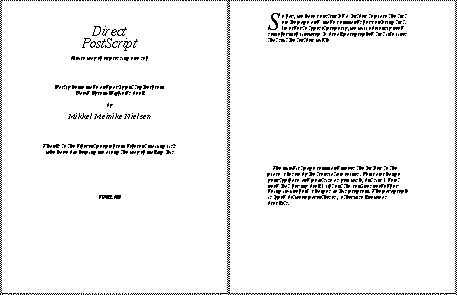
I was guided into direct PostScript as I was making a book for children. The next link is a small PostScript program representing the routines that make up the typesetting layout for this book.Here is a image of the pages to result from the program.
Story
From education I am a proffesionel modern dancer. From a real life point of view I should rather describe my self as a dance hustler, but still I think that one of the reasons I am attracted to programming is that it is a bit like structuring movement, coreografing if you like. Especially PostScript programming has this quality. The shapes is transforming and translating in to finding there final form on the paper. The way to understand it for me is to "see it in movement" and that is what this little story is about. It may be a little boring seen as a story, but it has a rhythm so that one can sort of "knead in" an understanding of what is going on.Image and Text
Over the years I have bin very concerned with how to overlay text and image. And I was so happy when I discovered that with direct PostScript this is really now problem. A small guide to images and text with direct PostScript. This page also give instructions for use of 'sam2p' and 'pdfconcate'. Tools made by Suzi Peté, for making nicely compressed (small in terms of file size) PDF files.Fonts
For my book I have chosen the very basic Times-Italic font so I thought that I didn't had to worry about fonts. But I found out that it was not going to be just that easy.Operators
It took me a while to find out what I needed to do in PostScript in order to go to a new page, so I will just mention here before I end this. That the operator for going to a new page is the 'showpage' operator.I will put one more external link here. There is a site that has a short description of all the PostScript operators ordered alphabetically you 'click' upon a letter to get to the descriptions of all the operators beginning with that letter:
http://atrey.karlin.mff.cuni.cz/~milanek/PostScript/Reference/
STUFF RELATED TO USING A MINIMAL LINUX DISTRO
About the concept of opensource and compiling
Small text about working with Tar and gz
Hopefully this is inspiring and helpful to someone.
Love
Mikkel Meinike Nielsen.